When you create a mapping specification, source column values undergo modifications based on the applied transformations. These modified values are updated in target columns based on the target update strategy. You can generate a virtual preview of targets to view the updated target columns.
Mapping specifications involving multiple source or target systems do not support virtual preview of targets.
To generate a virtual preview of targets, follow these steps:
- Go to Application Menu > Data Catalog > Mapping Manager.
- In the Workspace Mappings pane, click a map.
- Click
 .
.
The Mapping Specification grid appears.
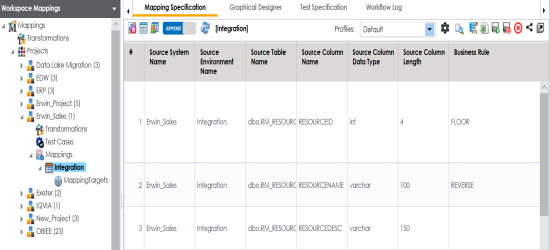
Mapping Preview page appears, displaying the virtual preview of the target based on the source and transformations.
Mapping preview is currently supported for RDBMS only. Here is the list of transformation supported in Mapping Preview:
CONCAT, LTRIM, RTRIM, TRIM, CEIL, FLOOR, RPAD, LPAD, ROUND, SQRT, SUBSTR, UPPER, LOWER, TRUNC, SIN, COS, TAN, SINH, TANH, REVERSE, IS_DATE, IS_NUMBER, IS_SPACES, ISNULL, IIF, ISEMPTY, NVL, DECODE.
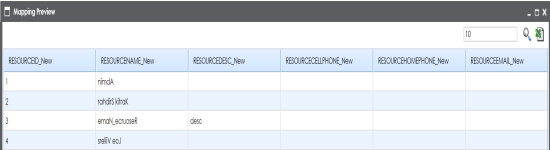
You can download the mapping preview details in the XLSX format. To download the mapping preview details, click  .
.